
×
![]()
User Guide
The best AI on this website is Gemini with memory mode. It not only translates Chinese accurately but also has the ability to remember context, maintaining consistency throughout the translation process. Gemini will remember character names, skills, locations and writing style, delivering perfect and more natural translation quality. If you want the best translation, use Gemini with memory.
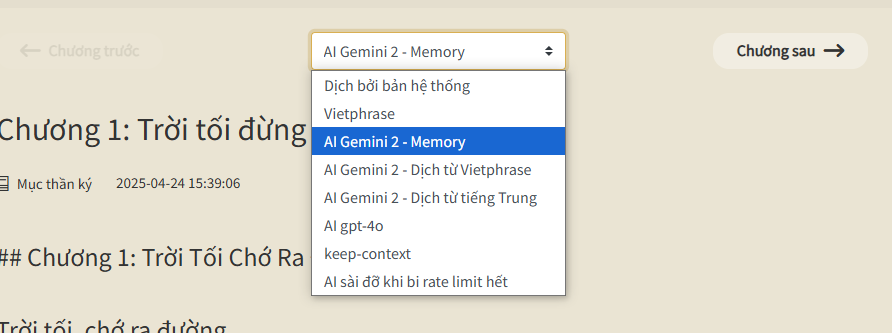
Gemini Memory
To use the best translation feature from Gemini, you need to login to the website and set up your API key in the "Settings" section. After logging in and entering the API key, you can use Gemini service to translate text.
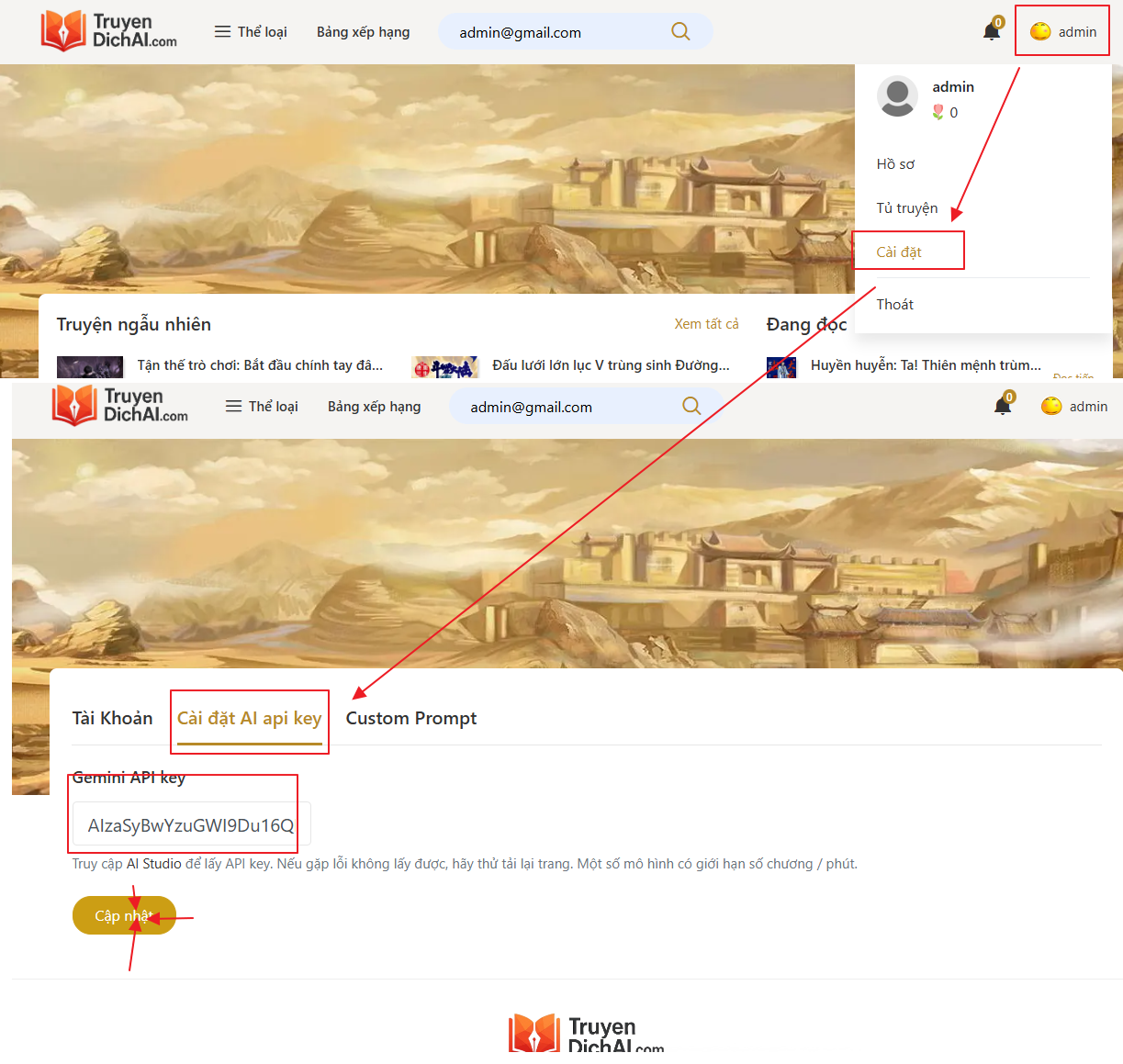
Illustration of how to login and set up API key
To get Gemini API key:
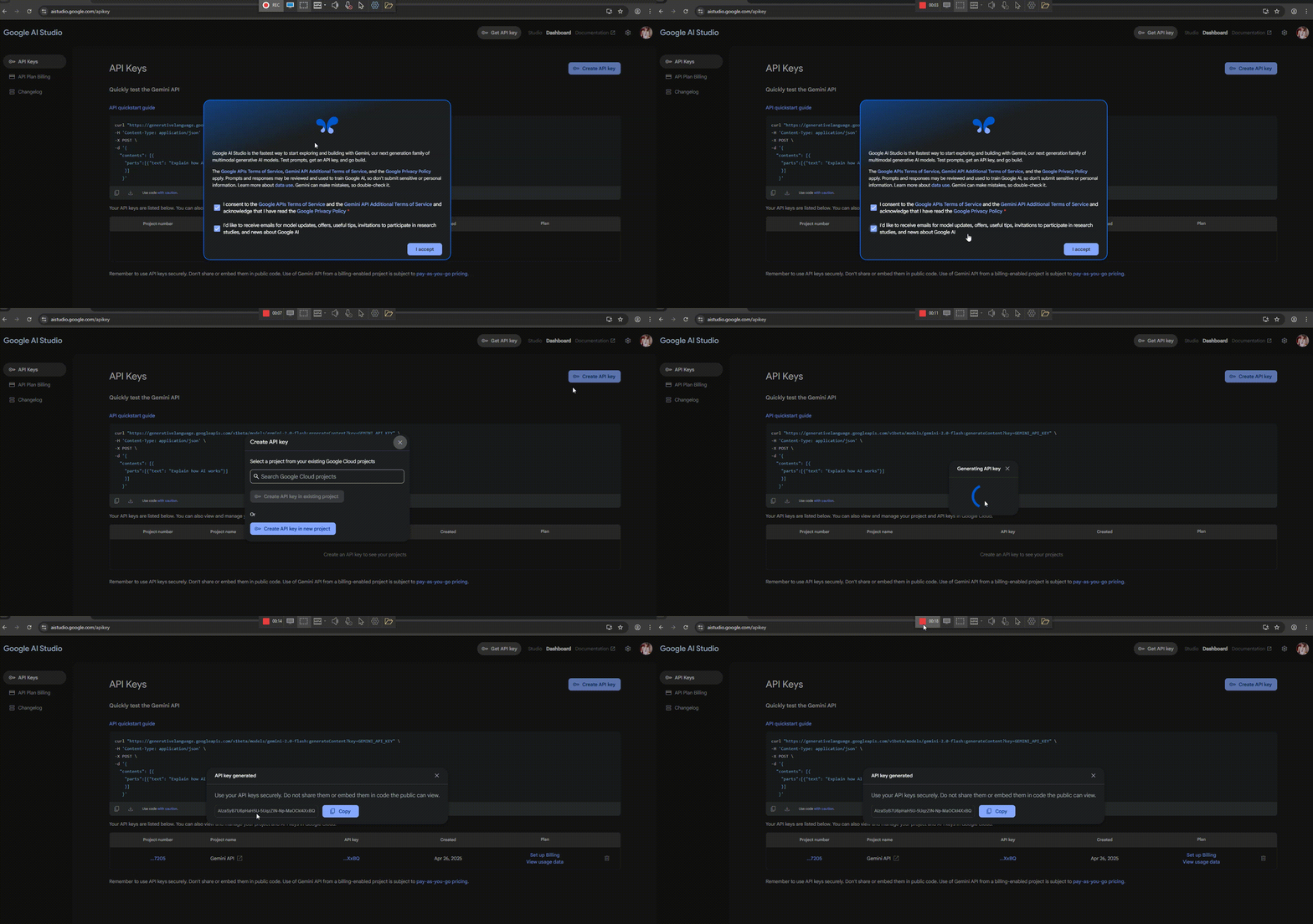
- Visit the API Key creation page here.
- Login with your Google account.
- Select Create API Key if you don't have one.
- Copy and paste the key into the AI API Key Settings on the website.
GIF illustration of steps to get API Key from Google AI Studio
Sometimes Gemini translates character names incorrectly from Vietphrase, making them hard to read and annoying because the dictionary doesn't have this name.
In this case, you should use the "Edit Name" feature integrated in the reading screen by clicking on the "Edit" icon on the right side if using a computer and at the bottom of the screen if using a phone.
Enter the name you want to edit using the syntax "[Old Name] = [New Name]". One pair per line.
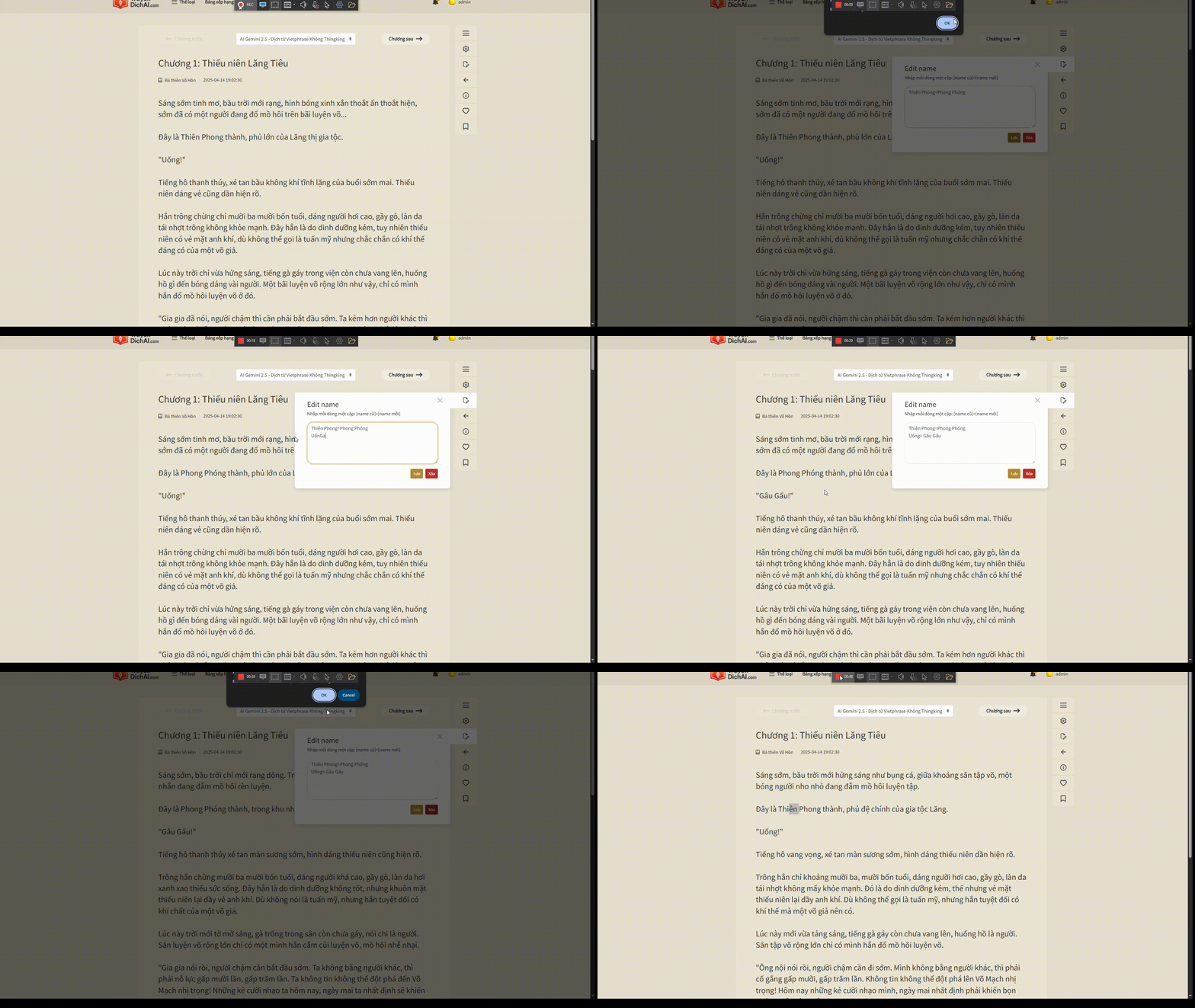
Illustration of how to edit names
Memory is a new feature that helps AI remember context, characters, locations, techniques... throughout the translation process.
This helps the translation be stable, consistent and maintain the unique atmosphere of each novel, especially for long novels, many characters or complex cultivation systems.
This memory will be continuously updated during translation, based on previously translated content. You don't need to set it up manually, just translate as usual — the system will automatically remember and apply.
If the novel is new and has no memory, the system needs about 20s to initialize. After entering the novel, the system will notify if the novel has no memory, you need to wait 20s and refresh (F5).
Illustration of how to select memory feature